
把 agent 写出的项目规划显示出来:有序步骤在窗口右侧停靠的面板里,框架图在单独的中间标签页中自动排版,可下载为 SVG 或 PNG。图表由会话日志重建,重启与恢复后依然保留。
- 许可证
- MIT
- 收录日期
- 2026-08-21
GitHub 信息
- 许可证
- MIT
- 主要语言
- JavaScript
- 最近推送
- 2026年8月20日 03:54
- 维护者
- SmileBuild
- 收录日期
- 2026-08-21
README 演示图
从仓库 README 提取的截图/GIF(已过滤徽章、头像等装饰图)。
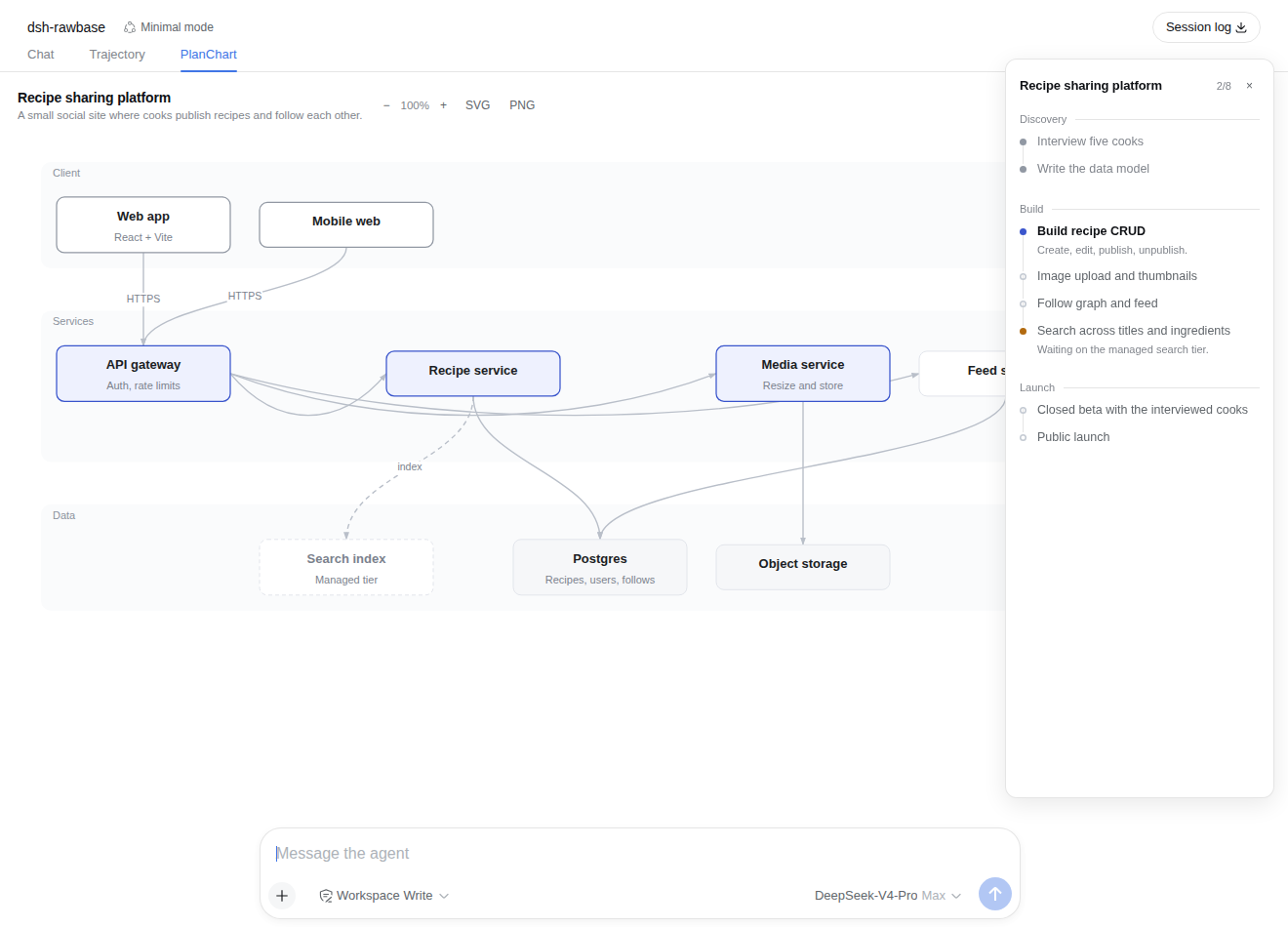
The PlanChart tab: the framework diagram in the centre, the steps panel on the right
https://raw.githubusercontent.com/SmileBuild/dsh-planchart/main/assets/screenshot-1.png
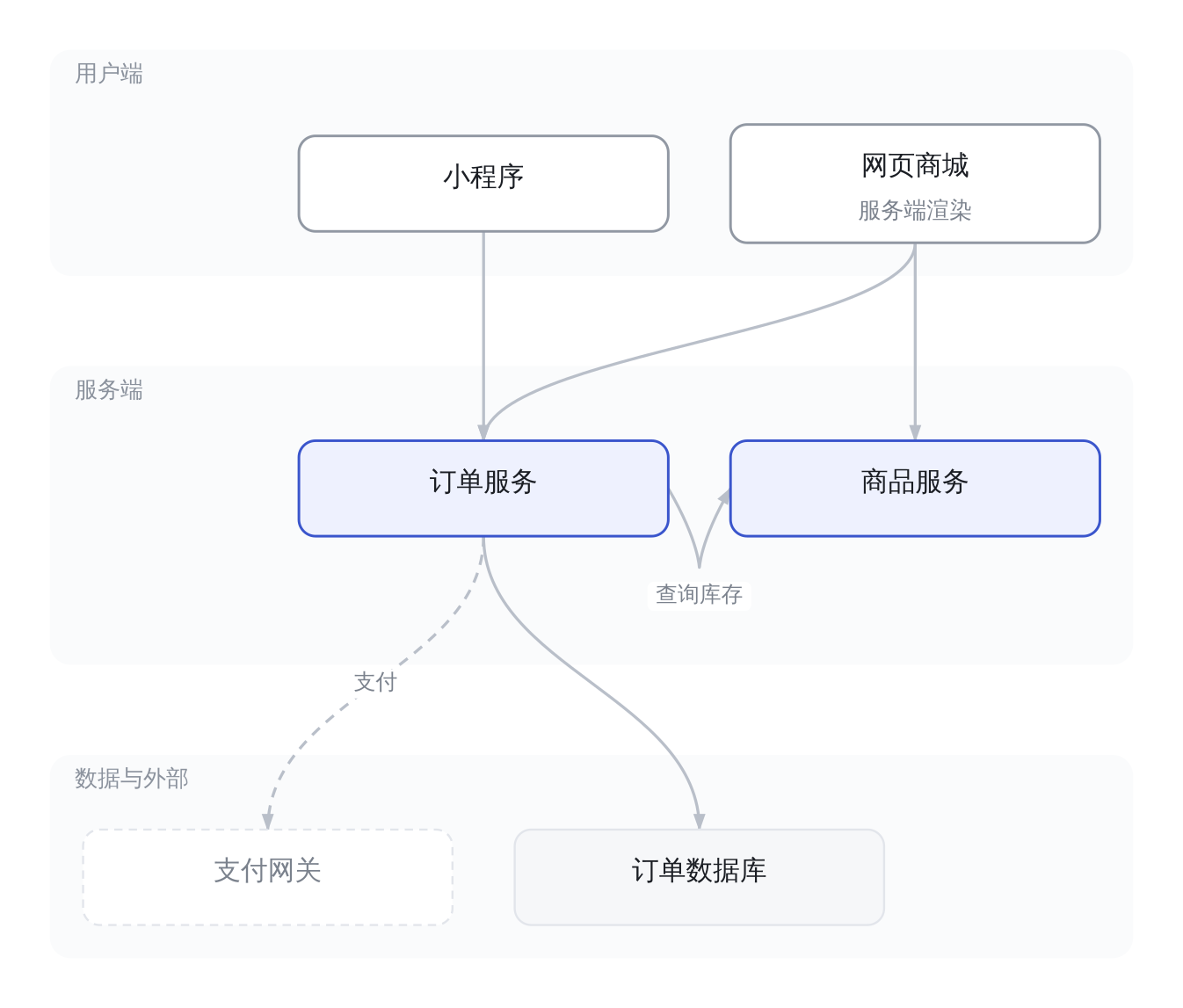
A framework diagram exported with the PNG button
https://raw.githubusercontent.com/SmileBuild/dsh-planchart/main/assets/screenshot-2.png
安装
安装命令
dsh plugin --profile web add github:SmileBuild/dsh-planchartREADME 徽章
将这段 Markdown 添加到插件 README,链接到对应的详情页。
Listed onDSH Get
[](https://dshget.com/plugins/SmileBuild/dsh-planchart)相关插件
UI 增强dsh-web#packages/dsh-task-board
★ 6418侧边栏多列任务看板:卡片交给真实 DSH 智能体会话执行,支持 cron 定时(Host 侧到点执行,关浏览器也生效)。
UI 增强zhu1090093659
dsh-web#packages/dsh-web-all
★ 6418DSH Web UI 插件与皮肤合集:任务看板、git 图、右侧面板、远程移动端 UI、桌宠、实时 token 统计与皮肤中心。
UI 增强zhu1090093659
DSH-better-sidebar
★ 3116侧边栏完整工作台:内置文件渲染编辑、终端、Git 与子代理,支持三方插件注册新 Tab。
UI 增强omdsh-dev