
通过二维码或机器人凭据将 IM 机器人接入 DeepSeek Harness(支持飞书、微信、钉钉、企业微信、QQ、Slack、Telegram、Discord 和 WhatsApp 共 9 种渠道)。
- GitHub 星标
- 271
- 版本
- v4.1.0
- 许可证
- MIT
- 收录日期
- 2026-08-15
GitHub 信息
- GitHub 星标
- 271
- 许可证
- MIT
- 主要语言
- JavaScript
- 最近推送
- 2026年8月21日 05:47
- 维护者
- xmanrui
- 收录日期
- 2026-08-15
README 演示图
从仓库 README 提取的截图/GIF(已过滤徽章、头像等装饰图)。

DSH-IM — Connecting DeepSeek Harness
https://raw.githubusercontent.com/xmanrui/dsh-im/main/assets/logo-dsh-im-connecting-readme-3x2.png
DSH-IM phone logo
https://raw.githubusercontent.com/xmanrui/dsh-im/main/assets/logo-plugin-phone.png
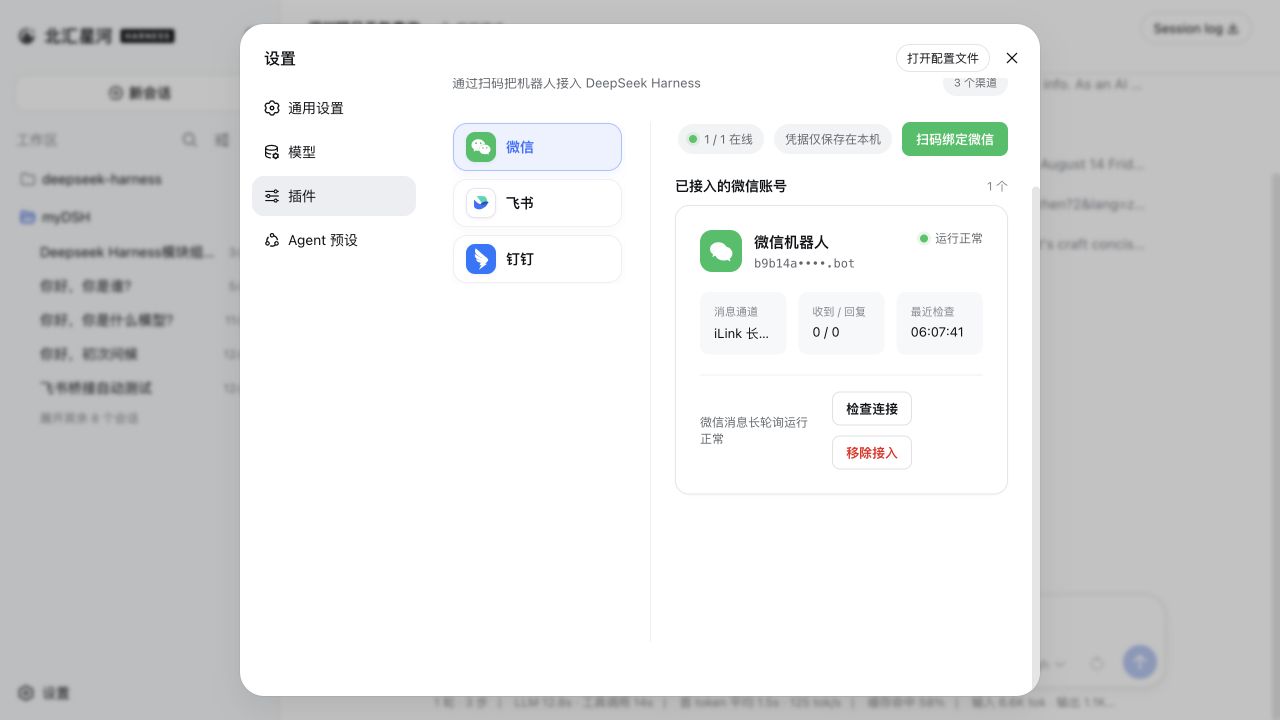
IM机器人页面
https://raw.githubusercontent.com/xmanrui/dsh-im/main/docs/images/imbot.png
微信二维码
https://raw.githubusercontent.com/xmanrui/dsh-im/main/docs/images/weixin.jpg
小红书二维码
https://raw.githubusercontent.com/xmanrui/dsh-im/main/docs/images/xhs.jpg
滑动变祖器:今天是梁子或今天是梁圣(随机)
https://dsh-im-random-badge.xmanrui-dsh-im.workers.dev
安装
dsh plugin --profile web add @xmanrui/dsh-im标签
README 徽章
将这段 Markdown 添加到插件 README,链接到对应的详情页。
[](https://dshget.com/plugins/xmanrui/dsh-im)相关插件
通知与集成dsh-feishu
★ 26DeepSeek Harness 的飞书 UI:面板驱动控制台——每个斜杠命令都是 ⚙️ 控制面板卡片上的按钮,卡内审批与提问,流式卡片,扫码一次完成配置。
dsh-lark-bot
★ 37把 DeepSeek Harness 装进飞书的桥接插件:扫码绑定 PersonalAgent、流式卡片、git worktree 项目工作区、scope 并行任务、多角色 Agent、跨会话通知、对话内模型/密钥管理,以及 dsh 崩溃后仍在飞书应答的安全网守护。
dsh-bridge
★ 101DeepSeek Harness 远程与移动端接入插件:支持局域网二维码、Cloudflare/自建公网隧道,以及微信、QQ、飞书、Telegram 机器人实时交互与审批,内置访问安全门禁与防篡改控制。